
Here is a well-structured article on the Top 10 Lightweight Software Options for Low-End PCs (as of early 2026). These picks focus on programs and tools that run efficiently on older hardware—typically systems with 2–4 GB RAM (or less), slower CPUs, and limited storage—helping you browse, work, play media, edit files, and manage your system without constant lag or high resource usage.
Low-end PCs (old laptops, budget desktops, or revived machines) suffer most from resource-heavy apps like full Chrome, Adobe suites, or modern antivirus bloat. Switching to lightweight alternatives revives performance dramatically.
1. Brave (or Opera) – Lightweight Web Browser
Modern browsing kills low-spec machines with memory-hungry tabs. Brave stands out in 2025–2026 for its built-in ad/tracker blocking (reducing page load overhead) while staying Chromium-based for site compatibility. Opera is a close second with its free built-in VPN and battery-saving mode.
Both use far less RAM than Chrome/Edge in real-world tests and feel snappier on 2–4 GB systems.
2. VLC Media Player – Universal Media Player
The king of lightweight media playback. VLC handles virtually any video/audio format without needing codec packs, runs smoothly even on decade-old hardware, and uses minimal CPU/RAM compared to Windows Media Player or bloated alternatives.
Perfect for watching movies or listening to music without stuttering.
3. Notepad++ – Fast Text and Code Editor
Replaces Windows Notepad or heavy IDEs. It opens instantly, handles large files effortlessly, supports syntax highlighting for coding, and consumes almost no resources.
Great for notes, quick edits, scripts, or basic HTML/CSS work on low-end setups.
4. 7-Zip (or NanaZip) – File Archiver/Compressor
Tiny footprint, supports nearly every archive format (ZIP, RAR, 7z, etc.), and compresses/decompresses faster than WinRAR with zero bloat.
Essential for handling downloads and backups without taxing your system.
5. LibreOffice – Full Office Suite
The best free, lightweight Microsoft Office alternative. It opens Word, Excel, and PowerPoint files, offers solid features for documents/spreadsheets/presentations, and runs much lighter than Microsoft 365 on older PCs.
Ideal if you need productivity without the subscription or heavy resource draw.
6. Everything (by Voidtools) – Instant File Search
Replaces slow Windows Search. It indexes your drives in seconds and finds files/folders almost instantly with almost zero RAM/CPU usage in the background.
A game-changer for navigating cluttered drives on slow hardware.
7. K-Meleon or Falkon – Ultra-Lightweight Browsers
For extremely low-end machines (1–2 GB RAM), these Gecko- or Qt-based browsers use under 200–300 MB even with multiple tabs. They lack some modern features but load pages quickly and work well for basic surfing, email, and forums.
Great fallback when even Brave feels heavy.
8. MPV – Minimalist Media Player
Even lighter than VLC for users who want bare-bones playback. Command-line focused but with simple GUI options available; extremely low resource usage for video/audio.
Ideal for pure efficiency on ancient hardware.
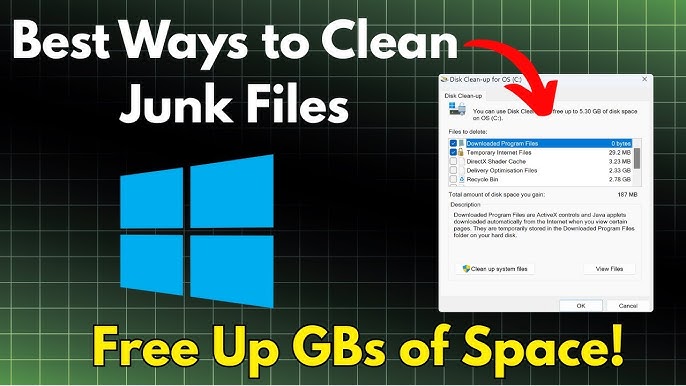
9. BleachBit – System Cleaner
Lightweight alternative to heavy cleaners like CCleaner. It wipes temporary files, caches, and privacy traces without aggressive “optimization” promises that can break things.
Keeps your low-end PC lean without high overhead.
10. SumatraPDF – Super-Light PDF Reader
Tiny (few MB install), launches instantly, and renders PDFs with almost no resource use. Far better than Adobe Reader or browser-built-in viewers on slow machines.
Perfect for reading ebooks, manuals, or invoices.
Bonus Tips for Maximum Performance on Low-End PCs
- Pair these with a lightweight OS like ChromeOS Flex, Lubuntu, Linux Lite, or Tiny11 (stripped Windows) for even better results.
- Use uBlock Origin (lite version) in browsers to slash ad/tracker load.
- Avoid resource pigs: full Chrome, Discord (use web version), heavy antivirus (stick to Windows Defender or ultra-light like Bitdefender free if needed).
- Keep drivers updated and disable unnecessary startup programs.
These 10 tools form a complete, efficient setup for web, office work, media, and file management on low-end hardware in 2026. Install them, and your old PC can feel surprisingly usable again—often faster than a stock modern Windows setup on the same machine!