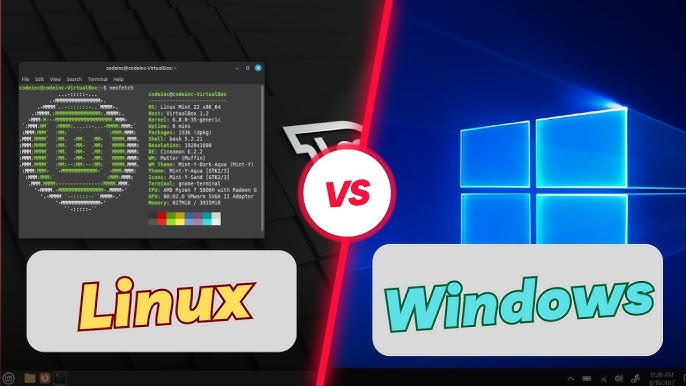

The question of whether Windows or Linux is “better” for daily use in 2026 doesn’t have a single correct answer — it depends heavily on your priorities, workflow, hardware, and willingness to adapt.
Windows still dominates the desktop landscape with roughly 68% global market share (early 2026 estimates), while Linux has climbed to around 4–5% on desktops worldwide (with higher figures in certain demographics like developers or U.S. federal traffic samples). Yet the gap feels smaller than the numbers suggest because Linux has matured dramatically for everyday computing.
Ease of Use and First Impressions
Windows 11 remains the king of “it just works” for most people out of the box.
- Familiar Start menu, taskbar, File Explorer
- Native support for virtually every consumer peripheral and printer
- Automatic driver installation for the vast majority of hardware
- Polished UI with snap layouts, virtual desktops, and built-in widgets/Copilot integration
Many users never need to open PowerShell or think about drivers.
Modern Linux (especially beginner-friendly distributions) has closed much of this gap.
Popular recommendations for newcomers in 2026 include:
- Linux Mint (Cinnamon edition) — often praised as the most Windows-like experience
- Zorin OS — explicitly designed for Windows switchers with layout options mimicking Windows 10/11
- Ubuntu — still the safe, well-documented default choice
- Pop!_OS — excellent for laptops and NVIDIA users
- Emerging polished options like AnduinOS or BigLinux that aim for immediate familiarity
Installation has become straightforward: live USB → “Try” mode → graphical installer → ready in 15–30 minutes.
Performance and Resource Usage
Linux generally feels snappier on the same hardware, especially on mid-range or older machines.
- A lightweight or mid-weight Linux desktop (GNOME on Ubuntu/Pop!_OS, Cinnamon on Mint, KDE Plasma) often idles at 600–1,200 MB RAM.
- Windows 11 frequently sits at 3–5 GB idle on similar hardware due to background services, telemetry, and Defender.
Linux excels at:
- Reviving 8–12-year-old laptops that struggle with Windows 11’s TPM/Secure Boot requirements
- Running smoothly on 4–8 GB RAM machines
- Faster boot times and application launch (centralized package management helps)
Windows pulls ahead on very high-end hardware with deep manufacturer optimizations, but the difference shrinks yearly.
Software Availability and Compatibility
This remains the clearest win for Windows in 2026.
Windows advantages:
- Native versions of Adobe Creative Cloud, Microsoft Office (full-featured), most AAA games, AutoCAD, many VPN clients, specialized engineering/medical software
- One-click install for almost everything via .exe files or Microsoft Store
Linux situation in 2026:
- Web-based alternatives cover most needs (Figma → Penpot/Photopea, MS Office → LibreOffice/OnlyOffice + web versions, Adobe → Krita/GIMP/Darktable + Affinity via Wine)
- Flatpak, Snap, and AppImage formats have dramatically improved app availability
- Gaming: Proton + Steam Deck success means most Steam games run excellently; many titles now match or exceed Windows performance on the same hardware
- Niche professional software remains problematic → often requires Wine, Bottles, or a Windows VM
For web browsing, email, document editing, media consumption, coding, and light creative work, Linux covers 90–95% of daily needs without friction in 2026.
Gaming
The gap has narrowed significantly.
- Windows: still the reference platform — anti-cheat compatibility higher, day-one releases, easier multi-monitor/VR setup
- Linux: often 90–100% of Windows performance in Vulkan/DXVK titles; some games even run better due to lower overhead. Issues remain mostly with kernel-level anti-cheat in competitive multiplayer (though many titles have added Proton support)
Security and Privacy
Linux enjoys structural advantages:
- Open-source code → quicker vulnerability patching
- Strong permission model and smaller attack surface
- Far less telemetry by default
- Root is not used for daily tasks
Windows has improved dramatically (especially Defender + VBS), but still collects more data and remains the bigger malware target due to market share.
Updates and Maintenance
Linux updates feel smoother for many:
- One command or one click updates the entire system (kernel + apps)
- Rarely requires reboot (except kernel updates)
- No forced feature updates that break workflows
Windows updates can feel intrusive — mandatory reboots, occasional breaking changes, separate app update mechanisms.
Quick Comparison Table (Daily Use Perspective – 2026)
| Category | Windows 11 Winner When… | Linux Winner When… | Clear Winner? |
|---|---|---|---|
| Brand new / casual user | Plug-and-play, zero learning | Willing to spend 2–4 hours learning | Windows |
| Older or budget hardware | You must run specific Windows-only software | You want speed & longevity | Linux |
| Gaming (AAA + competitive) | Kernel-level anti-cheat required | Single-player / most multiplayer titles | Windows |
| Programming / DevOps | Visual Studio + .NET ecosystem | Everything else (containers, scripting, servers) | Linux |
| Privacy & control | Happy with Microsoft ecosystem | Want minimal telemetry & full customization | Linux |
| Adobe / MS Office native | Required | Can use alternatives / web / Wine | Windows |
| General web + media | No difference | No difference | Tie |
| Long-term maintenance | Set-it-and-forget-it (with annoyances) | Rolling / atomic updates, full control | Linux |
Final Verdict for Daily Use in 2026
- Choose Windows if:
- You rely on specific commercial software with no good Linux alternative
- You want maximum gaming compatibility with zero tinkering
- You prefer a polished experience without any learning curve
- You use the computer mostly for web, streaming, Office, and casual gaming
- Choose Linux if:
- You value performance, privacy, zero licensing cost
- You want your 2015–2020 laptop to feel fast again
- You’re comfortable learning a few new habits (or already did via phone/server / Steam Deck)
- You do any software development, system administration, or enjoy customizing your OS
Neither is objectively “better” anymore — they’re both very capable daily drivers. The real question is which frustrations bother you more: Microsoft’s increasing control + telemetry + forced updates, or Linux’s occasional compatibility hurdles?
Many long-time Windows users who switched in 2024–2026 report they can’t imagine going back — but millions happily stay on Windows because it still solves their exact needs with the least effort.
What matters most to your daily routine? That usually decides the winner.