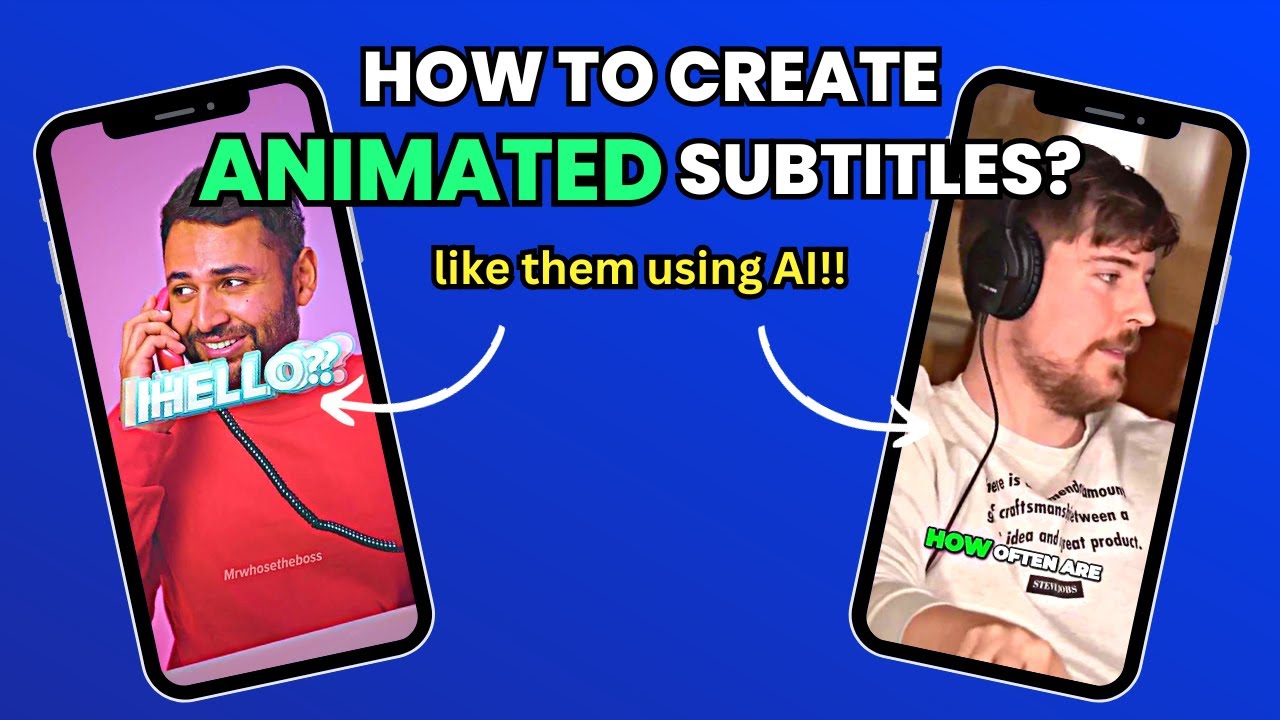

In March 2026, adding automatic subtitles (or captions) to videos is faster, more accurate, and more accessible than ever, thanks to major advances in AI speech-to-text models. These tools transcribe spoken audio, sync timestamps precisely, offer styling/animation options, and frequently include translation into dozens of languages — boosting accessibility, viewer retention (especially on silent autoplay platforms like TikTok, Reels, Shorts, and YouTube), and SEO.
Whether you’re a solo creator making short-form content, a podcaster editing long videos, a marketer producing multilingual material, or a professional needing broadcast-quality captions, AI handles most of the heavy lifting.
Here are the standout AI tools for automatic video subtitles right now, based on accuracy, features, ease of use, and real-world creator feedback.
1. VEED.io (Best All-Round Professional Tool)
VEED remains a top pick for creators who want polished, customizable subtitles without switching apps.
- Upload video → AI auto-generates subtitles (high accuracy on clear audio)
- Edit text, timing, style (fonts, colors, animations, pop-up effects)
- Translate subtitles into 100+ languages
- Export SRT/VTT or burn-in captions
Pros: Excellent accuracy, beautiful animated caption styles perfect for social media, integrated video editor (trim, crop, effects, background removal). Cons: Free plan watermarks exports and limits minutes; paid starts around $12–18/month. Best for: YouTubers, TikTok/Reels creators, teams needing pro-looking captions.
2. CapCut (Best Free & Mobile-Friendly Option)
ByteDance’s CapCut (sister app to TikTok) offers surprisingly strong AI auto captions — often called “insane” for free in 2026 — with excellent support for accents (including regional ones like Brazilian Portuguese).
- Upload or record → Text > Auto Captions / Recognise Subtitles
- Choose language → AI generates with good timing
- Customize fonts, animations, position, and effects
- Multilingual support and one-click export to TikTok/YouTube
Pros: Completely free for core features, mobile + desktop, very fast, great for short-form vertical video. Cons: Slightly lower accuracy on heavy accents/noisy audio compared to paid specialists; advanced editing locked behind Pro in some regions. Best for: Beginners, mobile creators, TikTok/Reels/Shorts producers on a budget.
3. Descript (Best for Long-Form & Podcast-Style Editing)
Descript treats video like a text document — edit the transcript and the video cuts accordingly.
- Upload → Overdub + AI captions generate near-instantly
- Edit text to fix errors → changes sync to video/audio
- Studio Sound (noise removal), filler word deletion, multi-speaker detection
- Burn-in or export subtitles
Pros: Unmatched for podcasts/interviews/long videos, extremely high accuracy after minor edits, collaborative features. Cons: Steeper learning curve, paid plans start ~$12–24/user/month after limited free tier. Best for: Podcasters, educators, interview-based creators, anyone editing talking-head content.
4. Opus Clip (Best for Repurposing Long Videos into Shorts with Captions)
Opus Clip specializes in turning long videos into viral shorts — with animated, styled captions included automatically.
- Upload long video → AI finds highlights + generates dynamic captions
- Auto-styles captions (bold keywords, pop effects, emojis)
- Translate and export ready-to-post clips
Pros: Saves massive time on clipping + captioning, high engagement from animated text, great accuracy on clear speech. Cons: Focused more on short-form repurposing than full video editing; subscription-based after free trial. Best for: YouTubers/podcasters repurposing long content for TikTok/Reels/Shorts.
5. Canva (Best for Beginners & Design-Focused Users)
Canva’s video editor now includes a solid AI auto-caption generator integrated into its drag-and-drop workspace.
- Upload to Video Editor → Use Auto Captions feature
- Customize look to match brand (fonts, colors, animations)
- No download needed — fully online
Pros: Extremely easy, free tier generous, beautiful templates, great for non-editors. Cons: Accuracy good but not elite on complex audio; less control over timing than pro tools. Best for: Social media managers, small businesses, educators creating quick branded videos.
Other Strong Contenders in 2026
- Happy Scribe — Excellent multilingual accuracy (120+ languages), human correction option available.
- Sonix — Frame-perfect timing, pro exports (SRT, VTT, burn-in), strong for accessibility/transcription.
- Reap — All-in-one short-form platform with advanced AI captions + B-roll/voiceover.
- Kapwing — Fast, collaborative, good free tier for simple social media subtitles.
- Vimeo — Robust built-in AI captions + translation for professional hosting.
Quick Comparison Table (March 2026)
| Tool | Free Tier Quality | Accuracy (Clear Audio) | Animated/Stylish Captions | Translation Languages | Best Use Case | Starting Price (Paid) |
|---|---|---|---|---|---|---|
| VEED.io | Limited | Very High | Excellent | 100+ | Social media & pro editing | ~$12–18/mo |
| CapCut | Excellent | High | Very Good | 20+ | Mobile/short-form creators | Free / Pro optional |
| Descript | Limited | Excellent | Good | Limited built-in | Podcasts & long-form | ~$12–24/mo |
| Opus Clip | Trial | High | Outstanding | Yes | Repurposing to shorts | Subscription |
| Canva | Strong | Good | Very Good | Moderate | Beginners & branded content | Free / Pro ~$15/mo |
Quick Tips for Best Results in 2026
- Use clear audio (good mic, minimal background noise) — accuracy jumps to 95–99%.
- Always proofread AI output — proper names, acronyms, and homophones still trip it up occasionally.
- Choose animated/pop-up styles for silent scrolling feeds (TikTok/Reels/Shorts); simpler subtitles for YouTube lectures.
- For multilingual reach: generate in original language first, then translate + review timing.
- Combine tools — e.g., generate raw subtitles in CapCut (free), polish/export in VEED.
Automatic subtitles are no longer a nice-to-have — they’re essential for engagement and inclusivity. Start with CapCut if you’re budget-conscious or mobile-first, or VEED if you want pro polish without hassle.